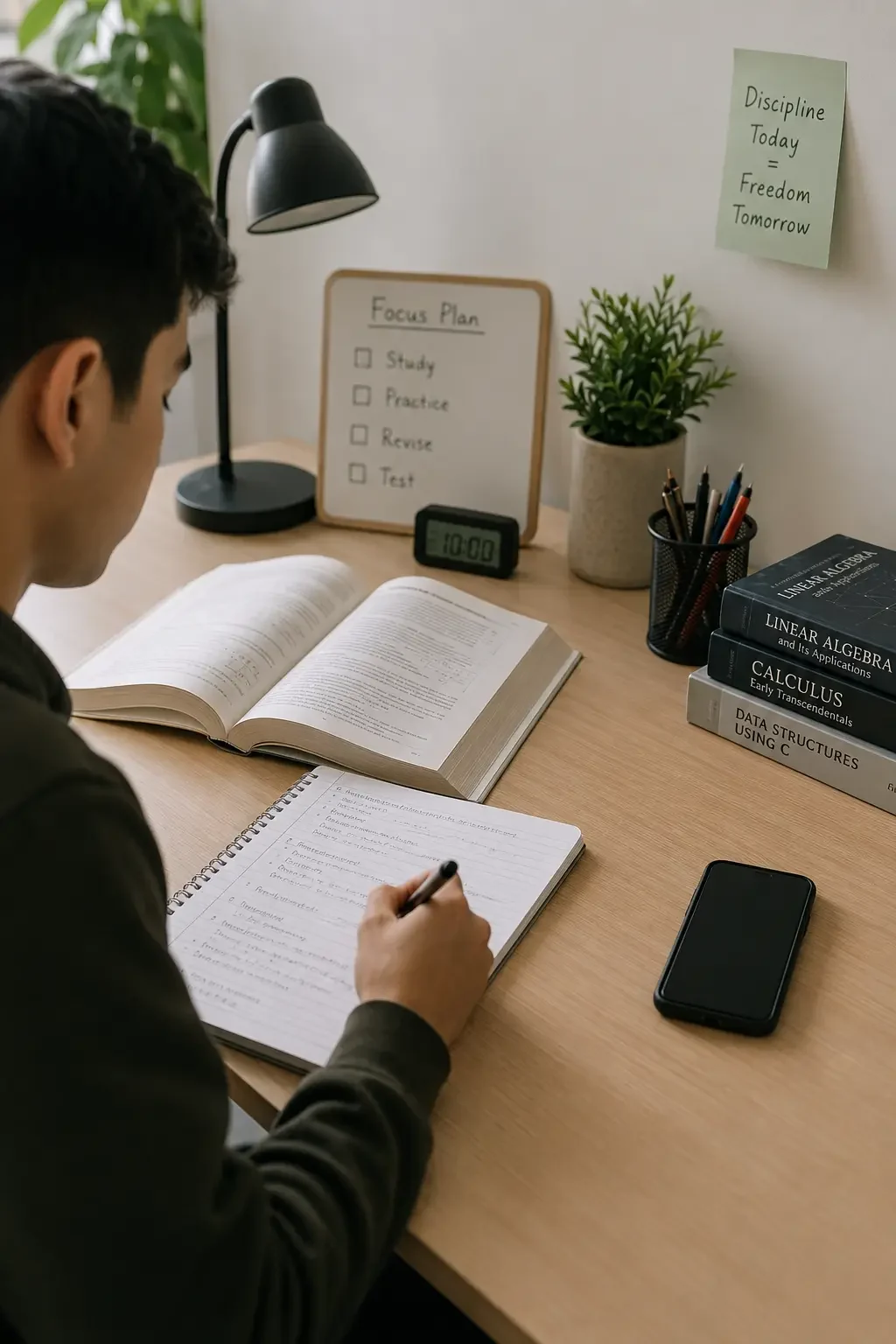
You sit down to study. You open your notes, then check one message. That message leads to a social‑media app, then a short video, then a notification, then another app. Before you know it, twenty minutes have passed — and you have not started the assignment.
This is not a sign of laziness or lack of motivation. It is a sign that your phone contains study tools, messages, entertainment, news, games and social media all in one place. Switching from study to distraction is often just one tap away.
This guide offers a seven-day digital detox plan designed specifically for students. It does not ask you to delete every app or become unreachable. Instead, it helps you create small, realistic boundaries that protect your study time and help you use your phone more intentionally.
You do not need perfect discipline to follow this plan. You just need to start with one day at a time.
What is a student digital detox?
A student digital detox is a planned period in which you reduce unnecessary or distracting technology use while preserving the tools you genuinely need for your education and daily life.
It is not about deleting every app or avoiding technology completely. It is about separating:
- Intentional use — opening a learning platform for an assignment, messaging a classmate about a project, using a calculator, reading a saved article, joining an online class, or checking an academic calendar.
- Unintentional use — opening social media automatically, switching apps during a difficult task, watching recommended videos without deciding to, checking notifications repeatedly, or unlocking the phone without a clear reason.
Quick self-check
Before each study session, ask yourself:
- Why did I unlock my phone just now?
- Did I complete the action I intended to do?
- Did I open another app automatically?
- Did the phone help or interrupt my current goal?
- Do I need this app during the next study session?
These questions help you notice patterns without judging them. Awareness is the first step toward change.
Identify your biggest phone distractions
Before you change anything, take five minutes to understand where your time actually goes.
Step 1: Open Digital Wellbeing
Go to Settings → Digital Wellbeing & parental controls. The exact menu name may vary by Android version and phone manufacturer.
Step 2: Review your most-used apps
Look at which apps you open most often and how much time you spend in each.
Step 3: Note the triggers and times
For each app, identify when you tend to open it and what usually triggers that opening.
| App | Daily time | Most common trigger | Most distracting time | Boundary to test |
|---|---|---|---|---|
| Example: Short-video app | 1 hour 15 min | Avoiding a difficult chapter | Evening study | Pause during study hours |
| Example: Messaging group | 40 minutes | Every notification | During lectures | Mute nonessential alerts |
Prepare before starting the seven-day plan
Taking a few minutes to prepare makes the plan much easier to follow. Before Day 1, write down these simple items:
- One main academic goal for the week (e.g., "Complete the first three chapters of biology revision.")
- One or two distracting apps you want to focus on
- One daily study period you want to protect (e.g., 7:00 PM to 9:00 PM)
- One phone-free location (e.g., your study desk, your bed, or the dining table)
- Which people must still be able to contact you (e.g., parents, study group members)
- Two short replacement activities (e.g., stretch, drink water, or read one printed page)
- Your reason for doing this detox
Example reason: "I want to protect my 7:00 PM to 9:00 PM study period because I have an exam next week."
A specific reason is much more useful than a vague goal like "I need to stop using my phone."
Seven-day digital detox plan for students
Day 1: Measure before changing anything
Actions
- Review your Digital Wellbeing or screen‑time data from the past week.
- Identify the two most distracting apps and record your approximate usage.
- Notice what usually triggers you to open them — boredom, notifications, transitions between tasks, or difficulty with the current assignment.
- Do not impose an extreme limit yet. Today is about observation, not action.
Beginner version
Review only one app today.
Evening reflection
When did I open this app without planning to?
Day 2: Reduce unnecessary notifications
Actions
- Keep important direct messages, security alerts, banking notifications, school announcements, and emergency alerts.
- Disable promotional notifications, trending‑content alerts, repeated engagement prompts, and marketing messages.
- Mute nonessential group conversations during study hours.
Note: Turning off notifications does not prevent you from manually opening the app. It simply reduces the number of prompts that pull you back in.
Beginner version
Disable one unnecessary notification category.
Evening reflection
Did fewer alerts make it easier to stay with one task?
Day 3: Change the home-screen environment
Actions
- Remove distracting apps from your first home‑screen page.
- Place them inside a folder on a secondary page.
- Keep educational and planning tools visible on the first page.
- Remove unnecessary widgets that invite checking.
- Use a simple wallpaper if visual clutter contributes to distraction.
Note: Removing a shortcut does not uninstall or block an app. It simply makes it less automatic to open.
Beginner version
Move only one distracting app.
Evening reflection
Did I open the app less often when it was not immediately visible?
Day 4: Create one protected study period
Actions
- Choose a 25‑, 45‑, or 60‑minute study block.
- Turn on Focus mode where available and pause your selected distracting apps.
- Use Do Not Disturb with necessary exceptions (family, work, emergency contacts).
- Place your phone out of arm’s reach.
- Write your study objective before starting.
Example objective: "Complete the first five calculus problems before checking messages."
Beginner version
Protect one 25‑minute session.
Evening reflection
What interrupted me most during the session?
Day 5: Replace the checking habit
Actions
- Removing phone use without a replacement can leave an empty moment.
- Choose two short alternatives to use when you feel the urge to check your phone.
Replacements to try:
- Drink a glass of water
- Stretch for two minutes
- Walk briefly around the room
- Read one printed page
- Write down your next task
- Take five slow breaths
- Organize your study notes
- Speak briefly with someone nearby
- Make tea or coffee
- Pray or reflect quietly
Beginner version
Choose one two‑minute replacement.
Evening reflection
Which replacement felt easiest to use?
Day 6: Protect the evening and bedtime
Actions
- Choose a final time for news and social media (e.g., 9:00 PM).
- Turn on Bedtime mode where available.
- Schedule Do Not Disturb with important exceptions.
- Charge your phone away from your pillow when practical.
- Keep an alarm clock, notebook, or book nearby as alternatives.
- Avoid beginning long scrolling sessions after getting into bed.
Beginner version
Stop social‑media checking 20 minutes before bed.
Evening reflection
Did the evening feel calmer when the phone had a clear stopping time?
Day 7: Review and build a sustainable plan
Actions
- Review the week: which app caused the most interruption?
- Which boundary was easiest to follow?
- Which limit was unrealistic?
- Which study period worked best?
- Which replacement habit helped?
- Which notifications are genuinely necessary?
- What should continue next week?
Keep, change, remove:
- Keep: A boundary that worked.
- Change: A limit that was too strict or too weak.
- Remove: A rule that provided no real benefit.
Beginner version
Keep only one successful boundary for the next week.
Evening reflection
What is the smallest habit worth continuing?
Seven-day summary
| Day | Main action | Estimated time | Result to observe |
|---|---|---|---|
| Day 1 | Review screen‑time data | 5–10 min | Main distraction identified |
| Day 2 | Reduce notifications | 10 min | Fewer interruptions |
| Day 3 | Rearrange home screen | 5 min | Less automatic opening |
| Day 4 | Protect one study block | 25–60 min | More intentional study |
| Day 5 | Choose replacement habits | 5 min | Better response to urges |
| Day 6 | Create an evening boundary | 10 min | Less late‑night checking |
| Day 7 | Review and adjust | 10 min | Sustainable plan created |
A phone-free study-session routine
This simple before‑during‑after routine helps you separate focused study from phone checking.
Before the session
- Choose one specific task.
- Collect books, notes, water and anything else you need.
- Decide whether the phone is genuinely needed for this task.
- Enable Focus mode or your chosen blocker.
- Allow emergency and necessary contacts.
- Place the phone away from your main workspace.
- Set a timer if you are using one.
During the session
- Work on one defined task at a time.
- Write unrelated thoughts on paper instead of switching apps.
- Use a planned break rather than checking impulsively.
- Avoid changing settings halfway through unless genuinely necessary.
After the session
- Mark what you completed.
- Take a short break.
- Check important messages intentionally.
- Decide whether to begin another session.
- Avoid turning a five‑minute break into an unlimited feed.
Digital detox during exams
Exam periods may require stricter but temporary boundaries. Here is a practical approach:
- Choose fixed communication‑checking times (e.g., 9:00 AM, 12:30 PM, 6:00 PM).
- Pause entertainment apps during revision periods.
- Keep authentication and learning apps available.
- Tell family or close friends about your important study hours.
- Download study materials before you begin so you do not need to switch to a browser.
- Use website blockers on your computer when needed.
- Avoid studying with several messaging windows open.
- Protect meals, sleep and short recovery breaks.
- Do not attempt an extreme detox the night before an exam.
Example exam-day schedule
- 7:30 AM — Review the plan and check important messages
- 8:00–9:30 AM — Protected study session
- 9:30–9:45 AM — Break and intentional message check
- 10:00–11:00 AM — Practice questions
- 1:00 PM — Lunch without social‑media feeds
- 3:00–4:00 PM — Review weak topics
- 8:30 PM — Stop news and short‑video apps
- 10:30 PM — Prepare for sleep
This is an example only. Adjust it to fit your own exam schedule and energy patterns.
What to do when the plan breaks
One distracted session does not erase your progress. Every student has days when focus is harder than usual. That is normal.
When you notice you have gone off track, try this five‑step reset:
- Stop — without criticizing yourself.
- Close — close the distracting app.
- Identify — what triggered the session? (boredom, difficulty, a notification, transition?)
- Restore — restore one useful boundary (timer, Focus mode, or move the phone).
- Return — return to the smallest next study action.
Small next actions:
- Read one paragraph.
- Solve one question.
- Organize one page of notes.
- Start a 10‑minute session.
- Put the phone across the room.
“Notice, close, reset and continue.”
How Noctra can support student focus
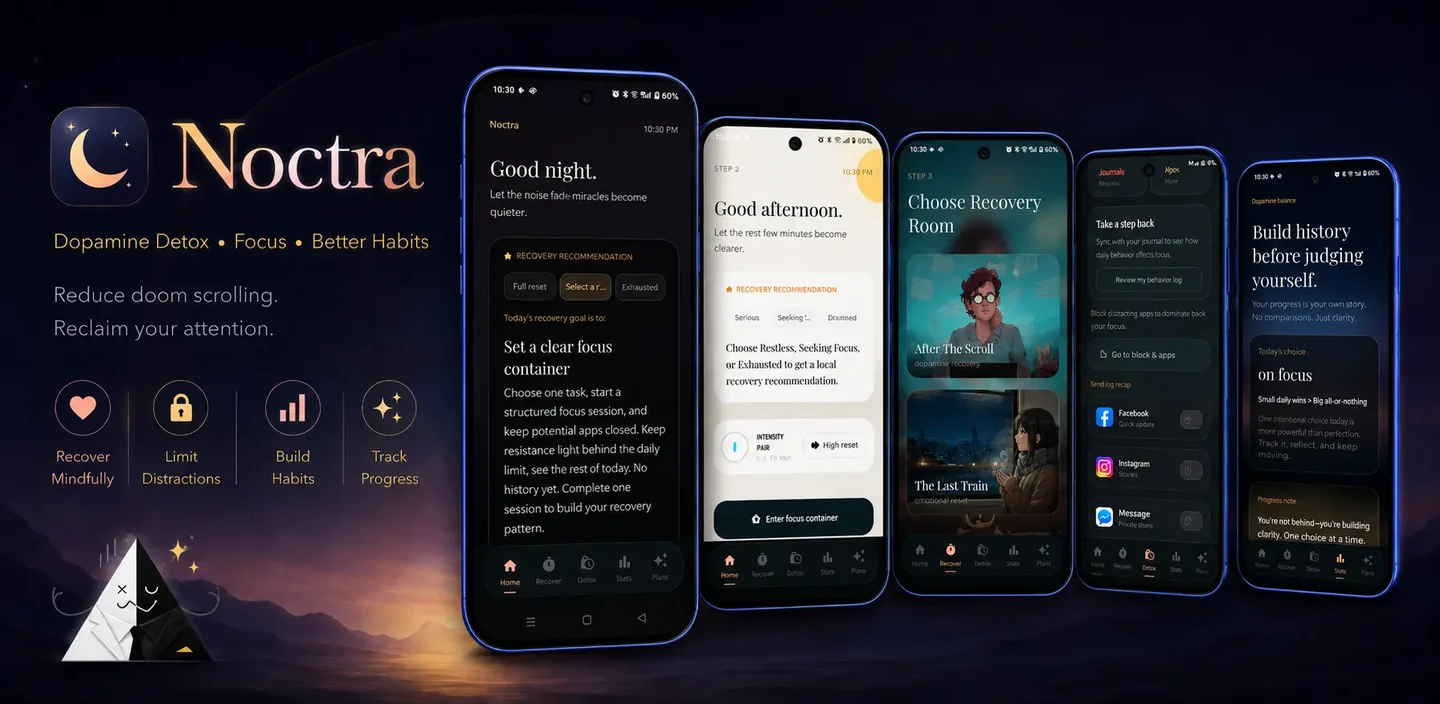
If you have tried Android's built‑in tools but still find yourself reaching for your phone during study sessions, Noctra can provide an extra layer of support.
Noctra is an Android digital‑wellbeing app designed to help you create stronger boundaries around distracting phone habits. It works alongside Android's existing controls by adding structured focus sessions, intentional pauses, and low‑stimulation alternatives.
With Noctra, you can:
- Set up focus sessions with custom durations (15, 25, 45, and 75 minutes)
- Use Midnight Focus and Burnout Recovery modes
- Access calming atmospheres as replacement activities
- Use Breathing reset and Boredom Box Mode
- Explore low‑stimulation alternatives and replacement behaviors
- Review focus stats and detox progress
- Use Ambient Minimal Mode for intentional phone use
Noctra is not a medical tool and does not treat addiction, ADHD, anxiety, or other conditions. It is a practical tool for students who want more control over their phone habits during study periods.
Frequently asked questions
How long should a student digital detox last?
A seven‑day plan is a useful experiment to discover which boundaries help you most. Many students continue some of the boundaries afterward — such as protecting a daily study period or keeping notifications reduced — as part of their regular routine.
Do I need to delete social media during exams?
Deletion is optional and not necessary for most students. Timers, scheduled Focus mode, and notification changes can be enough to reduce distractions during exam periods. Only delete an app if you decide it genuinely does not support your goals.
How can I stop checking my phone while studying?
Start by defining one specific task, pausing selected apps using Focus mode, moving your phone away from your workspace, and planning message‑checking times. A clear task and a physical boundary are often more effective than willpower alone.
Can students use Android Focus mode for studying?
Yes. On supported Android devices, Focus mode allows you to select distracting apps and temporarily pause them along with their notifications. You can also set a schedule so Focus mode turns on automatically during your study hours.
What should I do during study breaks instead of scrolling?
Try short replacements such as standing up and stretching, drinking water, walking for two minutes, taking five slow breaths, reading one printed page, organizing study notes, or having a brief conversation with someone nearby.
Is a digital detox the same as a dopamine detox?
"Dopamine detox" is a popular phrase, but it should not be treated as literally removing or resetting dopamine in the brain. A practical digital detox focuses on habits and boundaries — creating more intentional phone use rather than aiming for a biological reset.
Final thoughts
Students do not need to reject technology to study effectively. They need to separate:
- Helpful use — learning platforms, research, calendars, communication tools
- Necessary communication — family, work, school, and emergency messages
- Intentional entertainment — planned breaks, chosen content, relaxation
- Automatic distraction — opening apps without deciding to, checking notifications repeatedly, scrolling past the intended purpose
Today, you can open Digital Wellbeing, choose one distracting app, and protect one 25‑minute study session. That is enough to start. The rest can come later, one day at a time.